Winning the Amazon Buy Box: The 2026 Full Guide
Introduction
Winning the Buy Box on Amazon is the most crucial step when you are trying to gain sales on a listing. There are strategies that can be implemented to increase your Buy Box share, as well as criteria you need to optimise for in order to give your brand more opportunity. Below is a complete guide that covers everything you need to know about the Buy Box.
Key Takeaways
- 82% of Amazon’s website sales happen through the Buy Box
- Pricing is just one factor, in total there are around a dozen key metrics that are considered by Amazon when a seller is chosen for the Buy Box
- Software's can help to consistently keep you in the Buy Box
- Keeping great account health metrics boosts your Buy Box eligibility
- Having sufficient stock levels can give you the edge over sellers with similar selling history
- Many Amazon Buy Box Issues are caused by improper listing and channel management
What is the Amazon Buy Box?
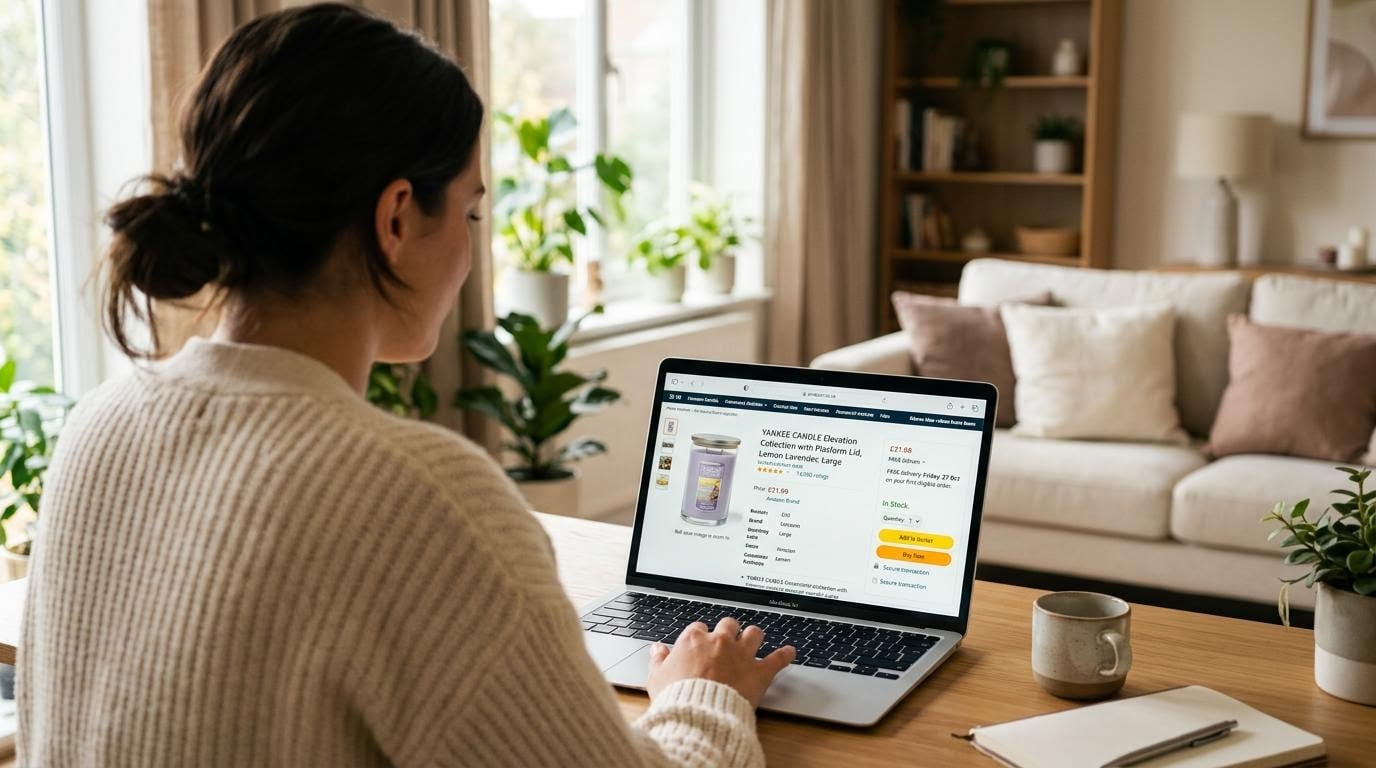
The Amazon Buy Box (also known as the Featured Offer) is the section on the right side of product pages and contains all the information a customer needs before making a purchase decision. This includes pricing, delivery date, seller, quantity and fulfilment information.
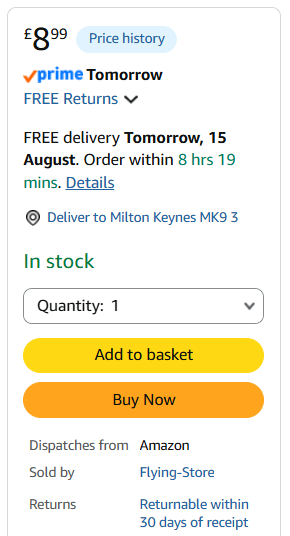
According to Feedvisor, roughly 82% of Amazon’s website sales happen through the Buy Box, and that number is even higher when you factor in mobile sales, where only the winner’s name is visible.
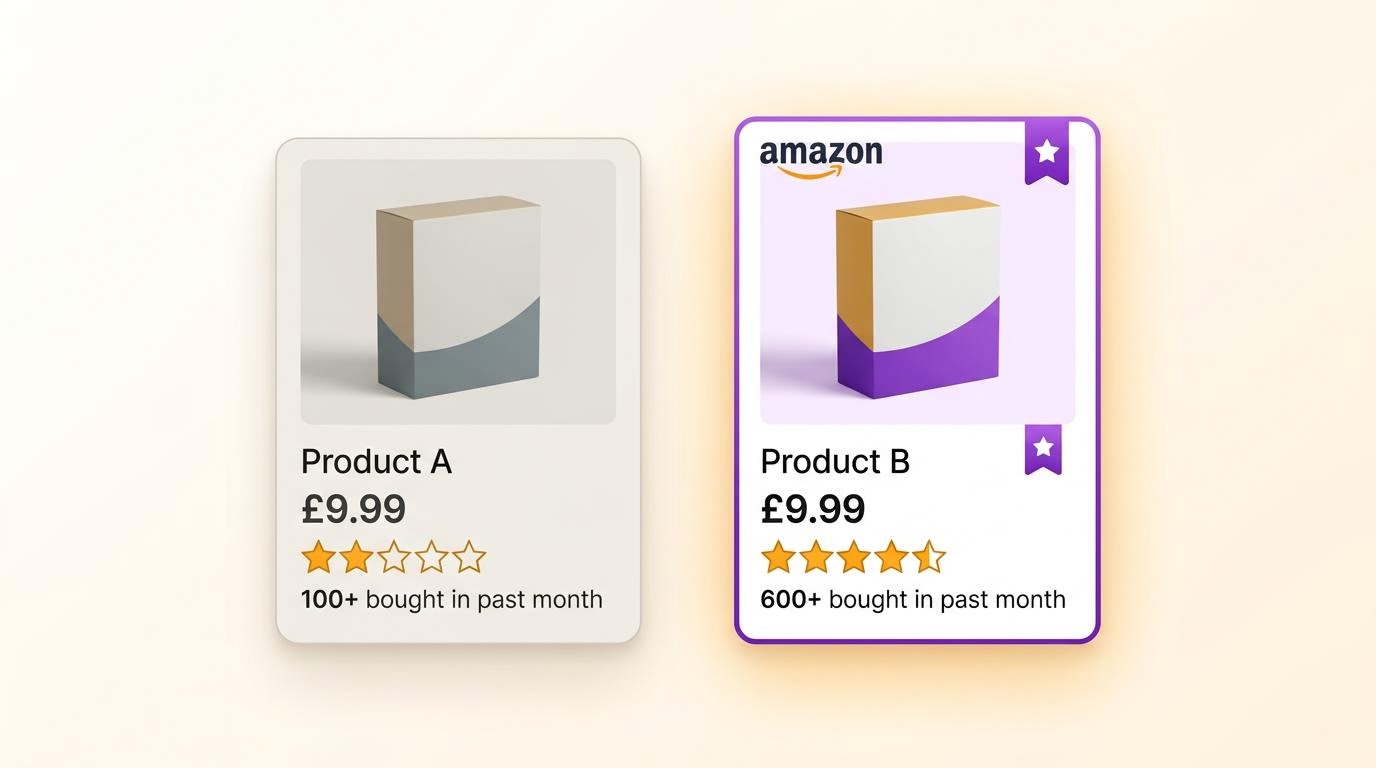
When multiple sellers list the same product, Amazon awards the Buy Box to whichever seller performs best across around a dozen ranking factors. Winning the Buy Box gives that seller a huge edge, driving significantly more sales than their competitors.
Below the Buy Box you can see all the other purchasing options, this shows sellers, item conditions and delivery methods available.
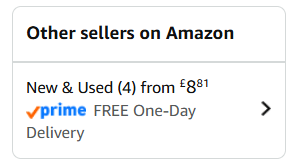
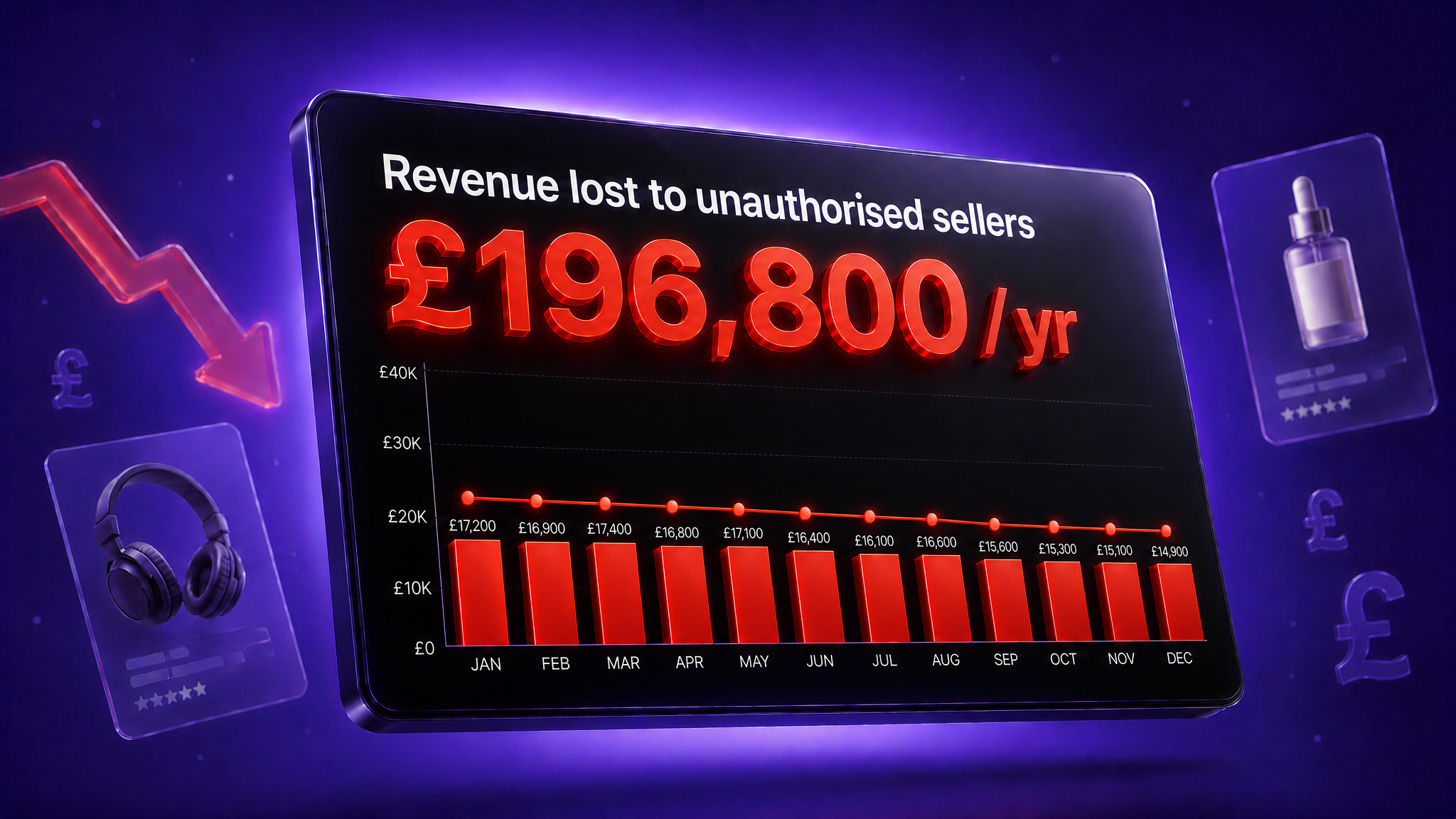
Depending on your brand's Amazon model, you may be the only seller on a listing. In this case, the priority is monitoring the listing and preventing unauthorised sellers from joining it. If there are other third-party (3P) sellers, you'll need a more proactive approach, involving either automated repricing tools to stay competitive on price, or enforcing your MAP (Minimum Advertised Price) policy to stop unauthorised sellers undercutting you.
How the Buy Box on Amazon works
Amazon uses an algorithm to decide who wins the Buy Box at any given time. To start winning more sales, you first need to understand the criteria behind it. Many brands focus only on price, but this isn't a sustainable long-term strategy. Below are more effective and important factors to consider.
According to SellerLogic these factors will influence the algorithm most:
1. Final Price
The final price is the product price plus shipping costs, Amazon will take into account the sum of these two numbers. The final price is the one Amazon reads when determining the Buy Box
2. Shipping Method
There are two options here, Fulfilled by Amazon (FBA) and Merchant Fulfilled Network (MFN). Within MFN you can enrol into Seller Fulfilled Prime (SFP) and offer next day shipping, similar to FBA delivery times. Amazon will often prioritise FBA but for certain products it may not be a good fit, you can check the shipping rate card here.
3. Shipping Time
In the UK all FBA products are offered with at worst next day delivery, providing they are sufficiently stocked. In order to compete with sellers on these listings you must also offer FBA, or SFP with a competitive price.
4. On Time Delivery Rate
This represents what percent of customers received their order on or before the promised delivery date. Amazon requires at least 90% of deliveries meet the stated date.
5. Cancellation Rate
This is only cancellations made by the seller before order processing, Amazon requires under 2.5%.
6. Number and Average Seller Rating
Buyers can leave two different types of reviews on Amazon, one for the product and one for the seller. It is the seller rating that will affect your ability to gain Buy Box share. Your rating will be an average of all your seller ratings, with newer ratings carrying more weight than older ones.
7. Inquiries Response Time
Amazons Service Level Agreement (SLA) requires sellers to reply to buyer messages within 24 hours, this applies to weekends as well.
8. Customer Dissatisfaction Rate
From time to time a customer may message you with a problem related to the product page, delivery or a general inquiry. You are required to respond to these messages, the customer can answer ‘No’ when asked if they were satisfied with your answer, affecting your dissatisfaction rate.
9. Inventory Levels
The amount of stock you have available for customers to purchase. For example FBA stock that has been processed through the fulfilment centre and is live on Amazon.
10. Refund Rate
This shows how your overall account health and customer satisfaction level can play a big role in gaining Buy Box share. These criteria also can be seen in wider Amazon efforts, where they pride themselves on being a customer centric company.
How to win the Amazon Buy Box
Now you know the metrics Amazon uses to determine the Buy Box, here are some actionable steps you can take to see results.
Price Competitively
Your final price (product price + shipping) is one of the biggest factors Amazon weighs. This doesn't mean being the cheapest, it means staying competitive relative to other sellers on the listing. This can be done using repricing tools, often these will increase both margin and Buy Box share if the correct strategies are used.
- Use automated repricing software to adjust your price in line with competitors in real time.
- Factor shipping costs into your overall price, since Amazon looks at final price (product + shipping), not just the listed price. We recommend adjusting your price to always include free shipping, a 2020 study found 65% of European consumers leave checkout because of high shipping costs.
Deliver Fast and Reliably
Amazon will reward accounts that keep on time shipment and delivery promises, along with low cancellation rates.
- Consider using Fulfilled by Amazon (FBA) to benefit from Amazon's fast, trusted delivery network.
- If self-fulfilling, choose reliable couriers with good track records for on-time delivery. Evri, Royal Mail and Amazon Buy Shipping are the only UK approved Seller Fulfilled Prime (SFP) couriers.
- Avoid overpromising on dispatch times, only offer shipping speeds you can consistently hit.
- Monitor and reduce order cancellations by keeping stock and order data accurate and up to date.
Maintain seller account metrics
This covers your seller rating (and number of ratings), inquiry response time, customer dissatisfaction rate, and refund rate. Together, these signal to Amazon that you're a trustworthy, responsive seller, so staying on top of customer service and resolving issues quickly matters. Having someone designated to this task will help response times and quickly improve this metric.
- Amazons Service Level Agreement (SLA) requires sellers to reply to buyer messages within 24 hours, aim for 12 hours to improve Buy Box eligibility.
- Set up templated responses for common questions to speed up reply times without sacrificing quality.
- Proactively resolve issues (delays, damaged items) before they turn into complaints or negative feedback.
- Monitor your refund rate and identify recurring causes (e.g. product quality, inaccurate listings) to fix root issues rather than just processing refunds.
Inventory Management
Running low or going out of stock will hurt your chances of winning the Buy Box. Amazon favours sellers who can reliably supply customers across the whole of the UK, and low stock levels make it harder to deliver efficiently nationwide. An inventory management software along with a forecasting and reordering software can help to keep a large catalogue sufficiently in stock year round.
- Use sales velocity data to forecast demand and avoid stockouts, especially around peak periods, a software such as RestockPro works well for this.
- Consider spreading inventory across multiple Amazon fulfilment centres (if using FBA) for faster, more consistent delivery UK-wide.
- Build buffer stock for your best-selling products to avoid gaps in availability.
Amazon Buy Box Issues and How to Fix Them
There is a few different things which can cause the Buy Box to either not show at all, or not promote you as the recommended seller. Here are those issues explained with solutions for each one.
With proper listing monitoring and channel management, many Buy Box problems can be avoided. Therefore, having a plan for each potential problem should be your priority.
Buy Box Suppression
Below is an example of a supressed Buy Box, the customer has to manually click to view options available to them. Listings that get supressed for long periods see sharp sales dips and drop in the rankings.
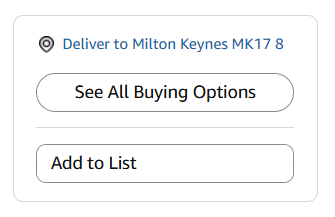
The reasons the Buy Box can be supressed include:
1. High Pricing
Priced significantly higher than other online stores or higher than average over historical average
2. Missing Product Data
Amazon has to comply with stringent guidelines and certain product categories require information in order for the Buy Box to be available
3. Poor Seller Metrics
Sellers with poor account health may not be recommended by Amazon due to historical customer complaints, resulting in no Buy Box on Amazon for this listing
Buy Box Eligibility
In addition to the dozen criteria there are some other key things to keep in mind if you feel you are not getting sufficient Buy Box percentage.
- Operate a Professional Selling Account. Individual accounts are normally overlooked and it can be difficult to become eligible for any Buy Box share.
- Item Condition. be sure the item you are selling is listed a ‘New’, products listed in other conditions are unlikely to be favoured.
- Selling Account Age. Often when you first open an account there is a 90 period where you are not able to get the Buy Box.
Buy Box Rotation
If there are multiple sellers all with similar criteria metrics, these sellers will share the Buy Box throughout the day. In this case it is important to know before you list your products how many sellers you may be competing with, using a Keepa graph is the most effective way to do this. If you own the brand you are selling it may also be worth considering changing your Amazon strategy if you are losing sales to 3P sellers.
Conclusion
Now you should have a better understanding of what is required to gain more Buy Box share, including ways to address listings with no Buy Box.
The Buy Box is the most direct way to increase sales for every Amazon seller, and its significance cannot be overstated.
Your brand will be in the best position to profit from the Buy Box if you stay up to date with any future changes.
If you are a brand struggling with Buy Box issues, read here about our Amazon partnership model, which helps to eliminate unauthorised sellers, improve Buy Box control and increase brand protection.
Frequently asked questions
What is the Amazon Buy Box?
The Buy Box is the section on the right side of product pages and contains all the information a customer needs before making a purchase decision. This includes pricing, delivery date, seller, quantity and fulfilment information.
How do you win the Amazon Buy Box?
You win the Buy Box through understanding the criteria Amazon uses to determine which seller is selected, and then optimising for these criteria.
What's the difference between the Featured Offer and the Buy Box?
The Featured Offer is the new name for the Buy Box, Amazon renamed it in 2023, although both terms are still widely used.
Why do I have no Buy Box, or why isn't it showing?
This is because the Amazon algorithm has detected that all available offers don’t meet the requirements in order for them to be recommend it to the customer.
Can you compete with Amazon for the Buy Box?
Yes, dependent on the listing. Using software to determine how Amazon reacts to price changes on a particular listing is the best way to measure whether the Buy Box will be shared.
Does the Buy Box algorithm change over time?
Yes, it often changes over time, however the main principles will always apply. This includes pricing, availability, delivery speed and customer service.
How can I track my Buy Box win rate?
This can be done inside Seller Central. By navigating to Reports, selecting Business Reports, and opening the Detail Page Sales and Traffic report by ASIN to view your percentage per item.
SIGN UP TO OUR
NEWSLETTER
Subscribe to the Sell Smarter newsletter to get weekly e-commerce insights, Amazon best practices and exclusive tips from our expert team. Delivered straight to your inbox.